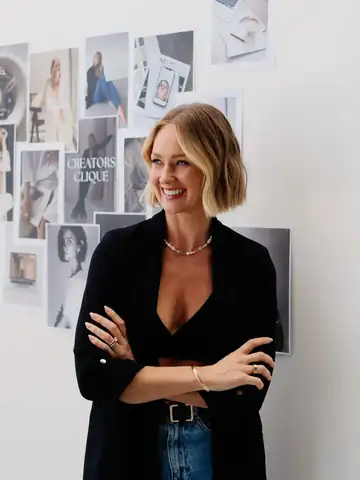
Take a few photos by a window, copy one prompt into the AI you already use, and get your season, your best colours and a palette to screenshot and shop with.
Pop your details in and I'll email you the link straight away.
The link is in your email so you can always find it again. You can also open the prompt right now and start on your photos.
Open my prompt nowA colour analysis tells you which colours light up your face and which ones wash you out, so you can shop, dress and do your makeup with far less guesswork. This prompt asks the AI to work it out from your own photos, and to show its reasoning so you can see why it chose your season.
I use my season to plan what I wear on camera and in my brand photos, so my outfits and my brand colours sit well together.
The photo checklist tells you exactly how to take them: window light, no makeup, no filter, and hair off your face.
The prompt asks for your undertone, depth, chroma and contrast, then places you in a 12 or 16 season system and explains why.
You finish with one personal palette to screenshot and save in a favourites album, ready for the next time you're in a change room.
Everything sits on one page that opens on your phone, laid out in the order you use it, from taking your photos to saving your palette.
Tick off each photo as you take it, including the optional fabric photos held under your chin, which make the biggest difference to accuracy.
Copy it in one tap. It covers your season and the neighbouring season you can borrow from, your best colours, neutrals, whites and denim, and whether black suits you.
The prompt also asks for your foundation undertone, blush, bronzer, lips, eyeshadow and liner, your best jewellery metals, hair colour, sunglasses and nails.
Which AI to open, what to upload, where to paste the prompt, and what to do if the AI says your photos aren't conclusive yet.
The prompt asks the AI to explain why it chose your season from what it can see in your photos, so you can judge the result for yourself.
Your result finishes with a short personal colour profile, sized to screenshot and keep on your phone for shopping.
Face a window in daylight, with no makeup, no filter and your hair pulled back, using the checklist to tick each one off.
Open a new chat in ChatGPT, Claude or Gemini, upload your photos, paste the prompt underneath and send it.
Save the palette at the end of your result into a favourites album on your phone, so it's there when you're shopping.

I've been working with brands for eight years, so I spend a lot of time in front of a camera and choosing what to wear for it. This is the exact prompt I use to get a colour analysis from my own photos, and I've laid it out so you can run it the same way I do.
I'd love to see your season once you have it. Send me a message on Instagram at @tamsyn.wolfe and tell me what you got.
Pop your details in below and the link will be in your inbox in a minute or two.
Free, and it works on your phone.
The link is in your email so you can always find it again. You can also open the prompt right now and start on your photos.
Open my prompt nowAny of ChatGPT, Claude or Gemini, as long as you can upload photos into the chat. Start a brand new chat so nothing from an earlier conversation gets mixed into your result.
Yes. Makeup, fake tan and filters all change how your skin reads in a photo, and the AI can only work from what it sees. Bare skin in window light gives you the most accurate result.
The prompt asks it to tell you which coloured fabrics to photograph under your chin rather than guess. Take those extra photos, upload them into the same chat and ask it to update your result.
No. An in-person analyst drapes real fabric against your face in controlled light. This prompt gets you a detailed, reasoned starting point from your own photos, which is a great way to learn your season before you decide whether to book one.